
Arqam Zafar, Marketing Director at AstrillVPN, says, “The first thing travellers should do before they even leave their house for a trip is to back up their photos and documents. Phones can get lost or damaged on trips, so having the peace of mind that everything is newly backed up is worth the extra preparation and time. Before leaving, check what your phone plan covers in terms of using data in a different country, so you know whether to buy an additional plan or travel eSIM. Download an offline copy of your boarding pass and print your hotel details as well in case you have connection troubles or cannot access your accounts.
Turn off message previews on your lock screen
“Travellers should consider hiding message previews on their phone’s lock screen before heading abroad. Notifications can display private information, including one-time banking verification codes, booking details, and personal messages, even when a phone is locked. If someone steals or briefly gets access to your device, hiding these previews can make it harder for them to see sensitive information without unlocking it.
Pack spare charging cables and check airline power bank rules
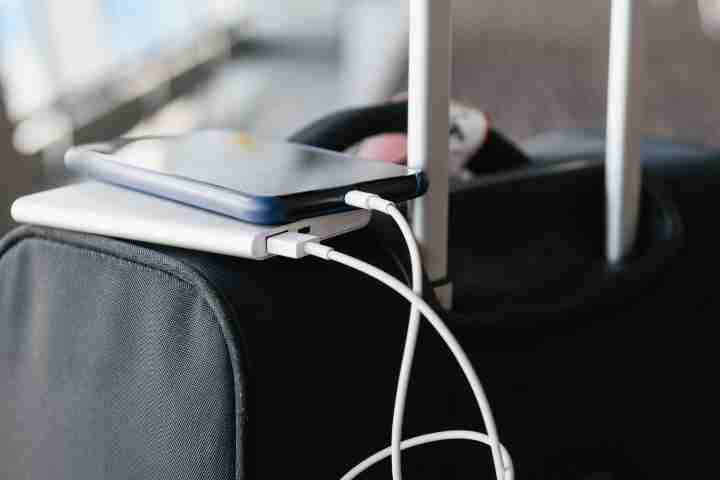
“Next, travellers should make sure they have the correct power cables and pack a spare in case it stops working. Buy a travel adaptor that works for your intended destination. Most travellers bring a power bank for charging their phone at the airport or on the plane. Airlines have implemented regulations about where these power banks can be stored during the flight. Make sure that the power banks are in your small personal bag that goes under your seat or put them in your seat pocket upon arriving at your seat.
Secure your phone before connecting to public Wi-Fi
“All phones should be secured with a PIN or biometric lock. Enable two-factor authentication on all of your apps that include important information, like online banking apps. If your device has a tracking feature, make sure it is turned on before you leave. Be aware that not all public Wi-Fi is safe. Avoid using apps with sensitive information on public Wi-Fi. Similarly, not all public USB chargers are safe either. Malware can be installed on these, so try to use your own chargers on a wall outlet or use your power bank.
Keep your phone out of sight when exploring unfamiliar places
“Try not to leave your devices unattended and be cautious about using your device in public. Tourists often stand out in crowds and make easy targets. Someone who is holding their phone out while walking around using a map app is an easy target. Consider purchasing a phone wrist strap to help secure your device. Keeping your devices safe is not just about the monetary value they hold anymore; these devices hold all aspects of our life. They hold information about ourselves, family, work, finances, location, and so much more. Taking some precautionary steps to ensure your devices are safe will help you stress less on holiday.”